Hello
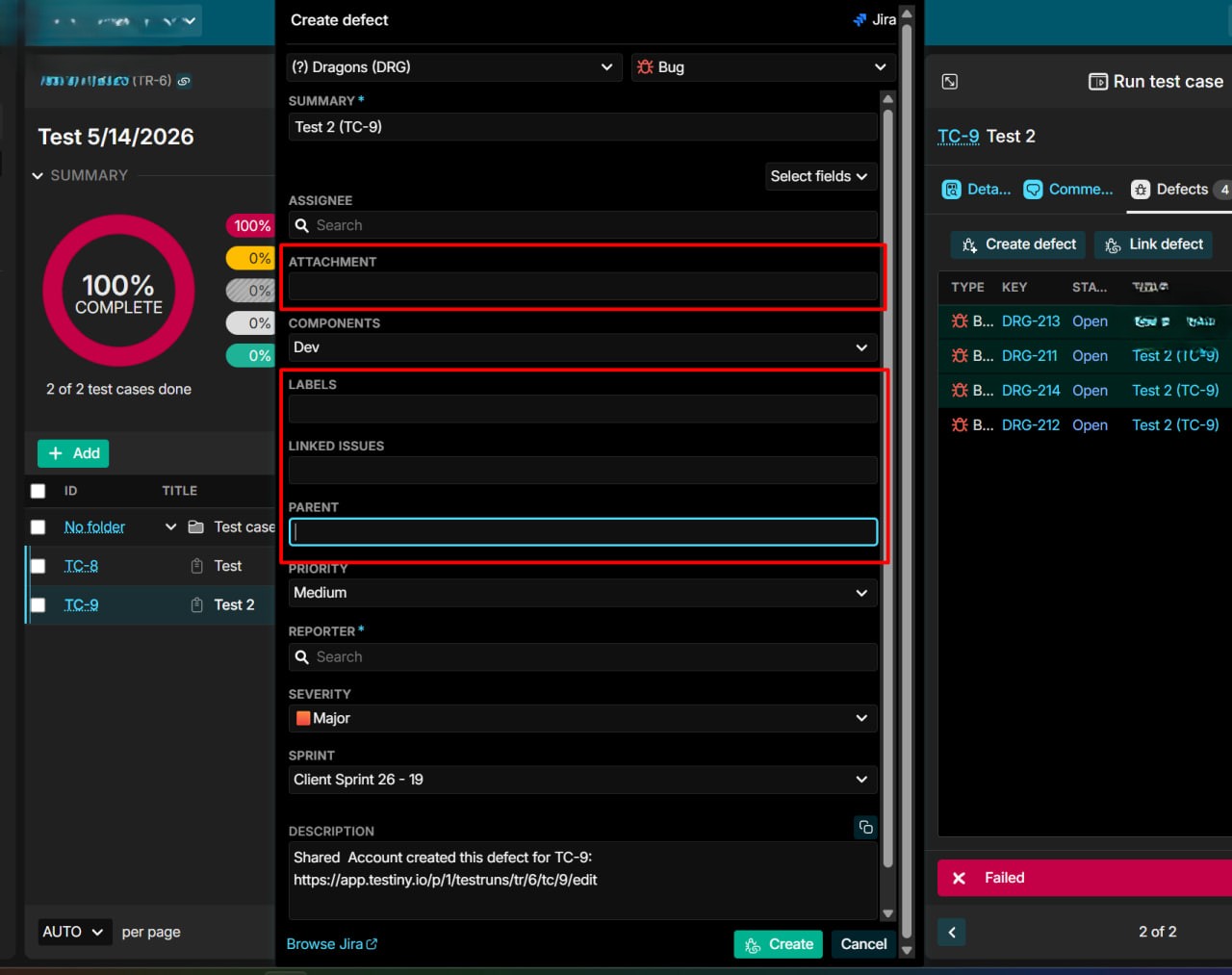
I’ve faced issues while trying to create defect from Testiny:
- Some fields are not showing expected dropdowns and I’m unable to choose important fields info. Also impossible to drag&drop or, at least, link some attachment.
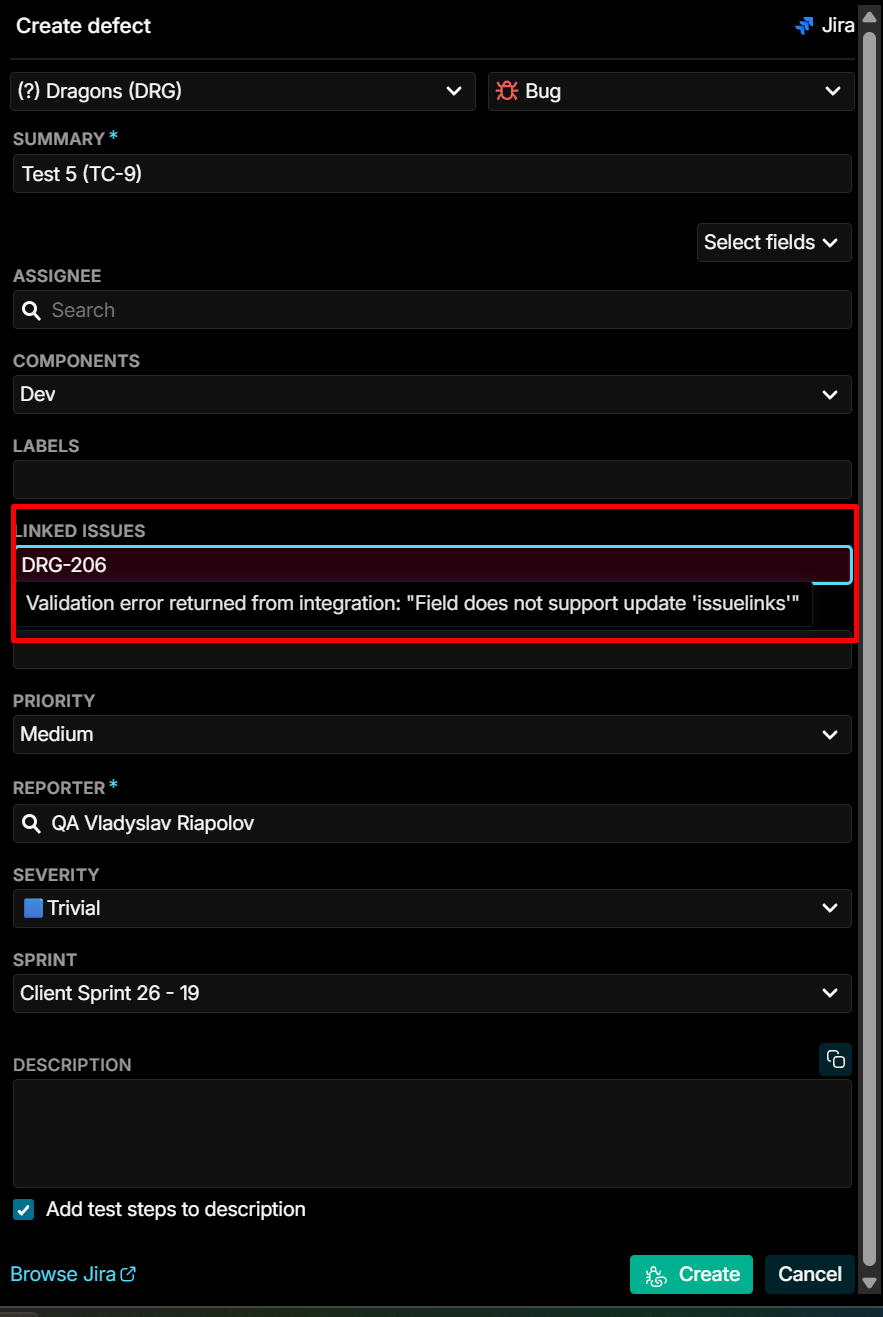
2. ‘Linked issues’ field also has no dropdown. When I try to enter Jira issue key manually, it shows an error
Can you tell me is there some problems with integration or Testiny doesn’t support these fields update/input?
1 Answer
1
Hi and welcome to the Testiny forum!
The fields shown for a Testiny integration depend on the fields configured in the Jira instance.
Some of them (like “assignee”) are always there and have special support by Testiny.
Others (like “Components” in your case) are custom fields and Testiny depends on the meta data provided by the Jira API to show available values.
If the meta data provides such predefined values, Testiny will shown them. Otherwise the field will just be a text field.
Testiny will always show all fields returned by the Jira API, even if some of them might not be usable from Testiny, just because Jira is highly customizable and the meta data does not provide enough information to decide if the field might be working or not. Like the “Linked Issues” field which is apparently not usable through the API in most Jira configurations (but you cannot be sure about that).
So, if some of the fields are not showing predefined values or are not usable, please just create the issue with out using these fields from Testiny, and update the fields in Jira afterwards.
Thank you for your understanding!
Best regards,
Alex