However, several documentations I read mention <testsuites…..<testsuite….<testcase…. as a valid structure.
I rely on the name in testsuites and testsuite because my tests are like that
Even at the overview, I do not see the name of the suite, only the name of the test. This makes it difficult to get a proper overview. Or is your intention to use the filter and apply text to Folder?
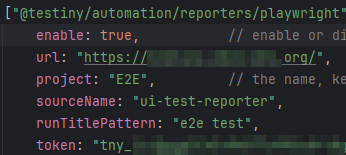
Ok thx the minor issue fixed the problem. I do not know why but I was not able to see the forest because of the woods. Anyway now my preferred option is the @testiny/automation/reporters/playwright but I have the same problem as before. I do not see the name which is in test.describe(…)as well, I only see the name of the test case. How can I fix that?
You only see the test suite names (from the describe(...)) in the folder path, correct.
Unfortunately, there is currently no setting to configure this.
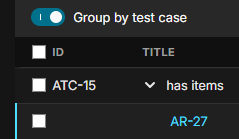
What you can do as a workaround is disable the “Group by test case” setting in the test run view and then sort by the folder. Then you should see tests from the same folder next to each other.


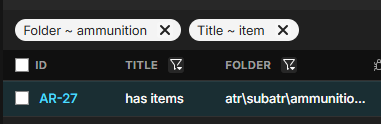

Have you enabled the folder column in your table view using the gear icon on the very right of the table header?
– Alex_HoislYes and for Playwright reports, I gonna use the folder-column. It is a minor hassle and I cope with it.
– Martin