Hello everyone,
I came across some information from one of our users, and I’m not quite sure how to interpret it.
In our organization, all users currently have the option to upgrade their account under “My Account” in the user settings (button: “Start Upgrade”), regardless of their role.
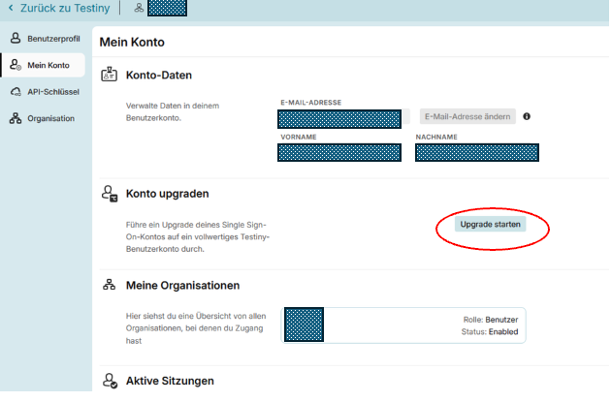
Next to the button, the following text is displayed:
“Upgrade your single sign-on account to a full-fledged Testiny user account.”
After clicking it, the user receives an email at their registered email address with the following content:
Confirm your email and set a password.
You want to upgrade your account from a single sign-on to a full-fledged Testiny account. With this account, you can create your own organization or join other organizations.
Please note that your organization may still prompt you to use single sign-on for access.
Confirm
If I understand the email correctly, users can initiate this upgrade themselves and set their own password.
I have successfully configured SSO for our organization, and for new users I have enabled the “SSO required” setting. As a result, SSO is mandatory for these users.
This raises the following question:
Why are users allowed to make this change themselves? Is there perhaps a setting at the organization level that I should adjust in order to prevent this “account upgrade” option for individual users?
Best regards,
Micha