Hi team,
We’re having trouble integrating Testiny with one of our integrator’s Redmine instance.
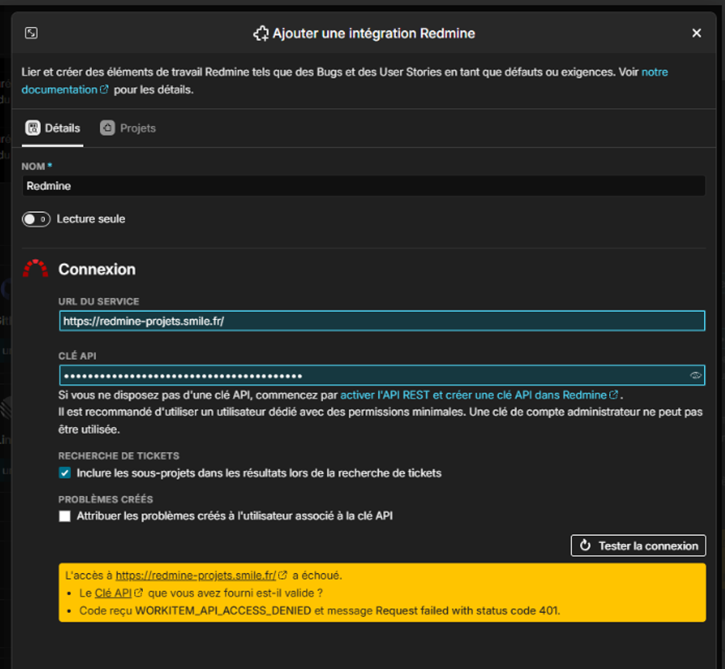
Testiny is giving us the following error message:
When we test from the command line using the same key, it works fine :
Command :
curl -H “X-Redmine-API-Key: XXXXXXXXXXXXXXXXXXXXXXX” https://redmine-projets.smile.fr/users/current.json
Answer :
{“user”:{“id”:20502,“login”:“moineol”,“admin”:false,“firstname”:“Olivier”,“lastname”:“Moine”,“created_on”:“2021-06-14T12:53:09Z”,“last_login_on”:“2026-02-16T10:29:54Z”,“api_key”:“XXXXXXXXXXXXXXXXXXXX”,“custom_fields”:[{“id”:9,“name”:“Société”,“value”:“Smile”},{“id”:85,“name”:“Numéro de téléphone”,“value”:“”},{“id”:74,“name”:“Modif. imputations closes”,“value”:“0”},{“id”:92,“name”:“Numéro de salle”,“value”:“”},{“id”:151,“name”:“Agence Collaborateur”,“value”:“”},{“id”:169,“name”:“Gescom User Identifier”,“value”:“”}]}}%
Can you help us figure this out?
Regards,
JM
5 Answers
5
I cannot say for sure, but this version looks very old, apparently dating from 2018.
Testiny currently supports Redmine 4.1 and higher.
Additionally, the API seems to be secured by Basic Auth, i.e. user & password.
Could it be that there is an IP filter that allows communicating without Basic Auth?
Best regards,
Alex
Hello Alex,
I hope you’re doing well.
Thank you for your answer. Please find additional details below:
· Redmine version is 8.1 (2022).
· Our integrator is already using the Redmine API for various tasks such as retrieving information, tickets, etc., and it works properly. Therefore, IP filtering and other basic access authorization issues can be ruled out.
According to our integrator, the blockage may be coming from Testiny, which has to go through an Azure DevOps infrastructure that returns the error “WORKITEM_API_ACCESS_DENIED”.
Could you please check again with your teams?
Regards,
Our integrator is already using the Redmine API for various tasks such as retrieving information, tickets, etc., and it works properly. Therefore, IP filtering and other basic access authorization issues can be ruled out.
Well, that’s what our integration team tells me: the Redmine API is secured by basic auth 
This can be seen in the API request response headers and that’s why a connection is not possible.
Is your integrator using the Redmine API from within Testiny or directly via API calls? For direct API calls, you can also pass in the basic credentials. (The same is unfortunately not possible in Testiny, additional basic-auth credentials are not supported.)
When I try to navigate to the URL you posted, I get a basic-auth window asking for credentials.
Redmine version is 8.1 (2022).
Do you mean 4.1? There is no Redmine version 8.1, the newest is 6.1.
Best regards,
Alex
Hello Alex,
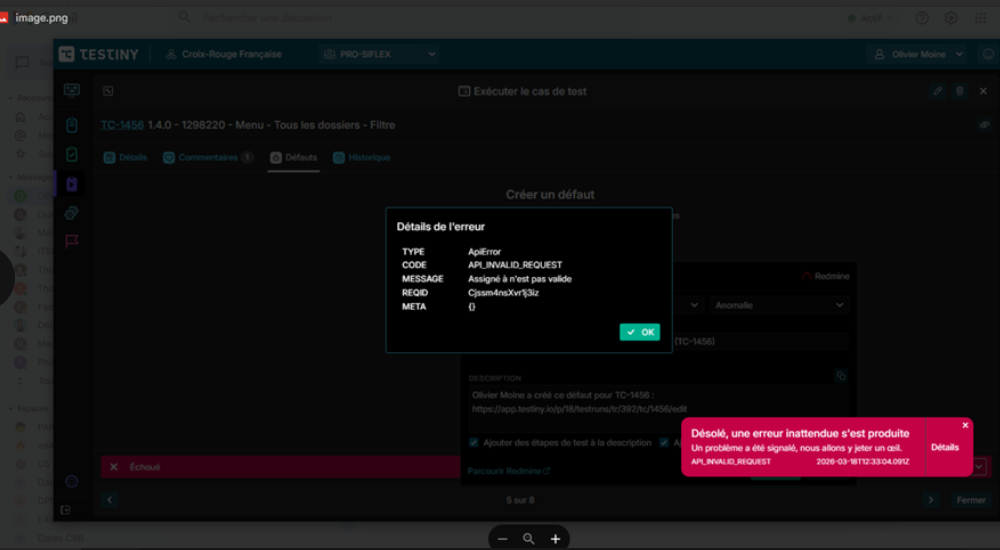
Things are moving forward. Our integrator has made changes in Redmine, and we can now log in and link existing tickets. There is a new issue with defect creation that is similar to the one we had with another Redmine instance that you resolved :
Testiny error below :
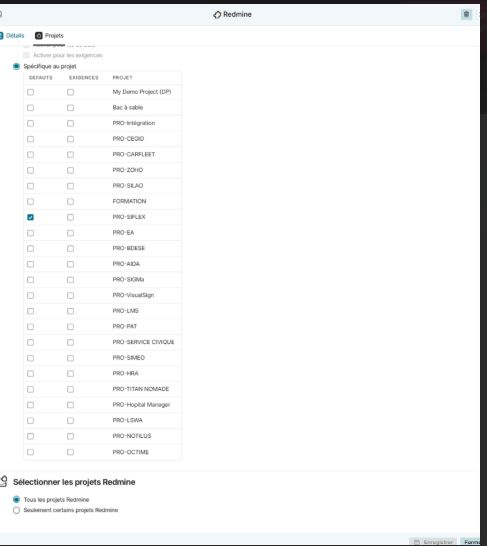
Testiny integration :
Finally, the Redmine version is 4.2
Thank’s for your help.
JM
Hi JM,
Great to hear the connection to your Redmine instance is working now!
Regarding the error: I guess the error message means that the assignee is not valid?
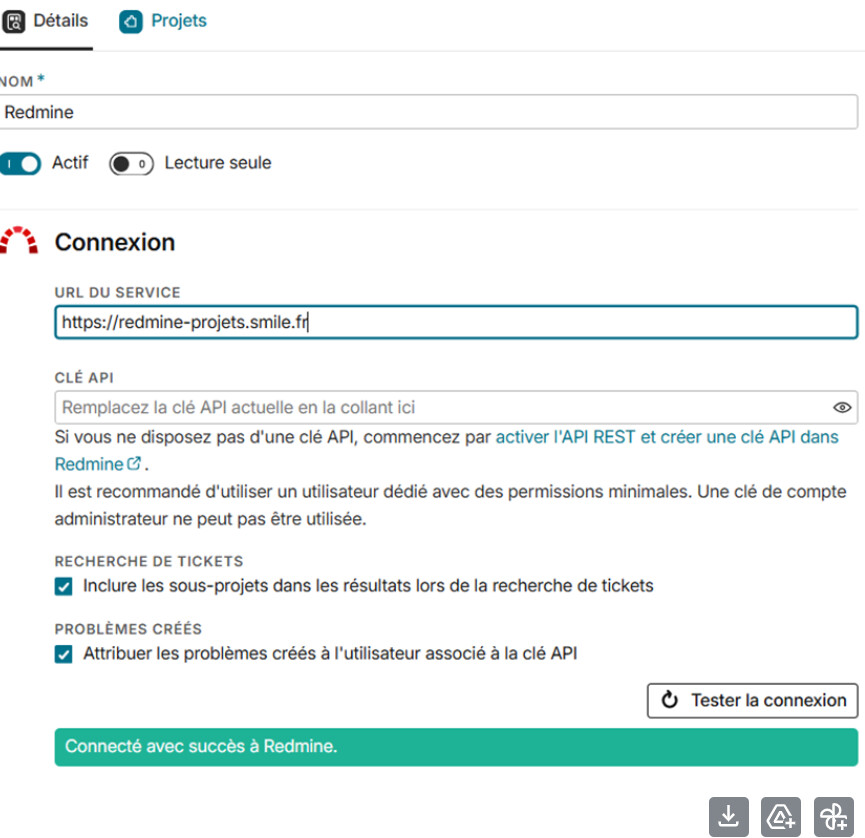
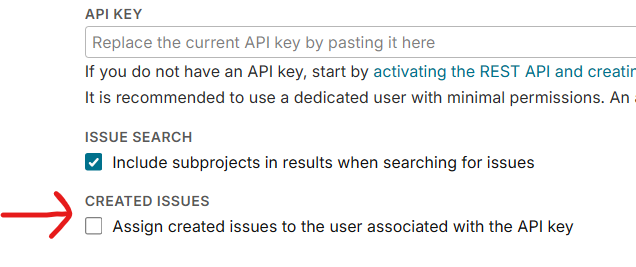
If so, try switching the “Assign created issues to the user associated with the API key” setting in the Testiny Redmine integration on:
If that does not work, please check in Redmine which fields are mandatory for creating an issue in the selected project/tracker, especially Tracker, Status, Priority, Category, Assigned to, or any custom fields.
You could then set defaults in Redmine for newly required fields where needed.
Testiny’s Redmine integration does not support sending custom issue fields during creation, so if Redmine now requires additional fields, creation can fail.
If possible, please share the exact Redmine error text from the server logs for the failed create request, with any sensitive data redacted.
Thanks!
Best regards,
Alex