Add more test plan query options when adding test cases

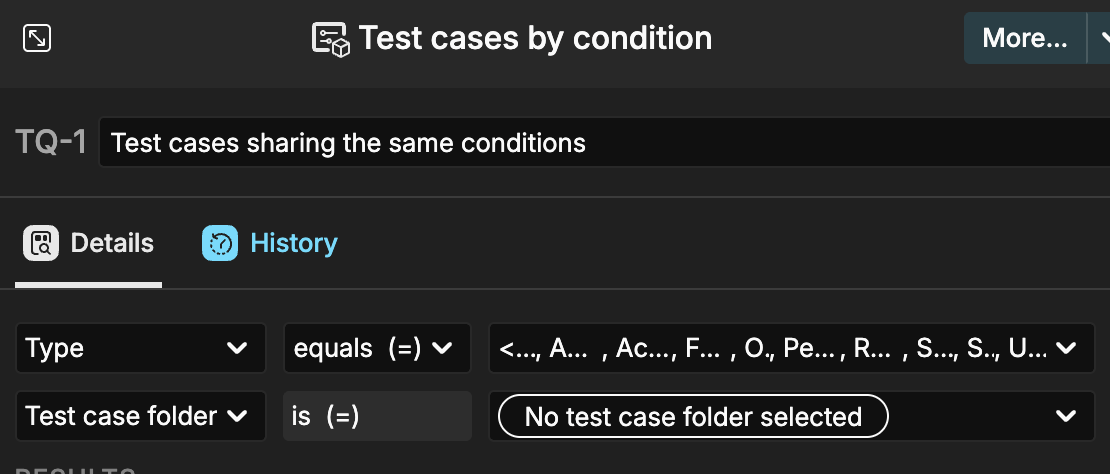
This request is for adding additional query options when adding test cases by folder name to a test plan. Please see image attached.

There might be a better way for my team and I to do this, but at this time we place test cases in a folder labeled ‘Archived’ when a test case is no longer to be executed (replaced by automation).

I tried adding a query to ‘not include’ the folder, but found I’m only able to add folders ‘equal’ to my selections.
2 Answers

2

These new folder operators are now available.

Best regards,
Alex

You are awesome, thanks!

Thank you for your feedback!

We have a change planned for the folder filter that one should also be able to filter for subfolders.
I will suggest add the “not include”/“is not” operator as well :slight_smile:

Best regards,
Alex

I suggest also including a top level "Select all" / "Select None" checkbox at the top of the folder selection. The same one you can see in the Test Cases area. This option ideally should be available across the whole of the UI.

There already is a "Select all" in the "..." menu next to the filter textbox in the tree :-)

Sorry yes I didn't spot that as it was in a different place than usual. The "Add by folder" dynamic option doesn't have one though.