It seems that by default after generating the report, Testiny arranges defects in ascending order by their ID in Linear, which is a significant issue.
For example, on the first screenshot, a certain test case related to image attachment is shown along with two corresponding defects. On the second screenshot, after the report is generated, they are placed in a completely different case related to search.
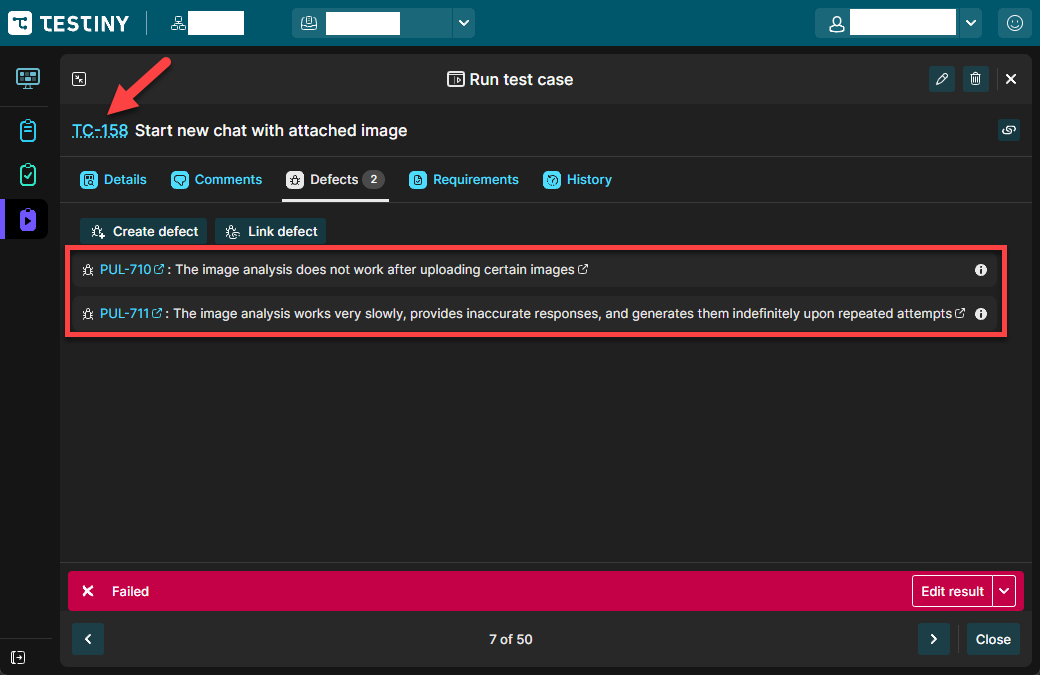
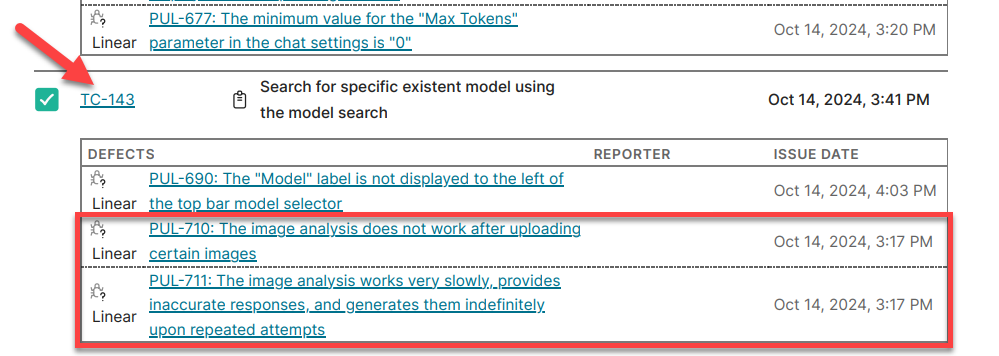
The expected result is that defects should be placed based on the test cases I assigned them to in Testiny, not according to their ID in Linear.

Hello. How do I see defeats connected to TC like the second screenshot?
– kyungsun_ChoHello! You need to click the "Create report" button after running the test cases, this button is placed in the right upper corner, after clicking the "More" button on the Test runs page.
– Anna_Berezhna