Hi,
What CURL rest or REST API is required to do the following:
-
I added a test-case to Test-Result. How do I add that via REST API?
-
I run a test-case via legacy app. I want to report the test-case passed. How do I do that via REST API?
Hi,
What CURL rest or REST API is required to do the following:
I added a test-case to Test-Result. How do I add that via REST API?
I run a test-case via legacy app. I want to report the test-case passed. How do I do that via REST API?
Hey Sally,
It’s a bit hard for me to understand what you’d like to achieve.
Our overall REST API documentation is available here:
https://www.testiny.io/docs/rest-api/testiny-api/
Updating the result of a test execution within a test run can be done with this call:
https://www.testiny.io/docs/rest-api/update-one-test-run-entity/
You can also use our importer to import whole test runs, e.g. from a JUnit file:
https://www.testiny.io/docs/automation/importing-results/
Hope this gives you some guidance into the right direction.
For further help, please let me know what you mean with “legacy” app or what “adding a test case to a test result” means 
Kind regards,
Christian
Hey Sally,
thanks for the screenshot – that helps a lot.
The respective curl call looks like this:
curl -L -X POST 'https://app.testiny.io/api/v1/testrun/mapping/bulk/testcase:testrun?op=update' \
  -H 'Content-Type: application/json' \
  -H 'X-Api-Key: <API_KEY_VALUE>' \
  --data-raw '[{
      "ids": { "testcase_id": 1234, "testrun_id": 3 },
      "mapped": { "result_status": "PASSED" }
    }]'
Please update the API-Key, the test case id + the run id to the respective values.
Hope this helps
Regards,
Chris
Hi just to add a comment here this part "testcase:testrun" in the request was hard to figure out since you have to put it as additional parameters. this was not clear from the documentation. An example as above would be useful in the API documentation. Also I don't see an option to add a comment to the result? is this possible?
– Bird_bee_bushIf your goal is to add a test run result through the REST API, I’d first check whether you actually need to create results directly or attach/import them through Testiny’s automation flow. Testiny’s API and automation tooling are designed around importing execution results and linking them to runs instead of manually writing individual result records.
For automated scenarios, a practical approach is:
Generate your test report (JUnit, Playwright, Cypress, etc.)
Use the Testiny CLI or API with your project and source configuration
Submit the report and let Testiny create/update the run automatically
Use run fields if you want multiple executions grouped together
I'm unsure if you're response is accurate in this case, because it covers Automation results rather than manual results this topic was about...
– Alex_Hoisl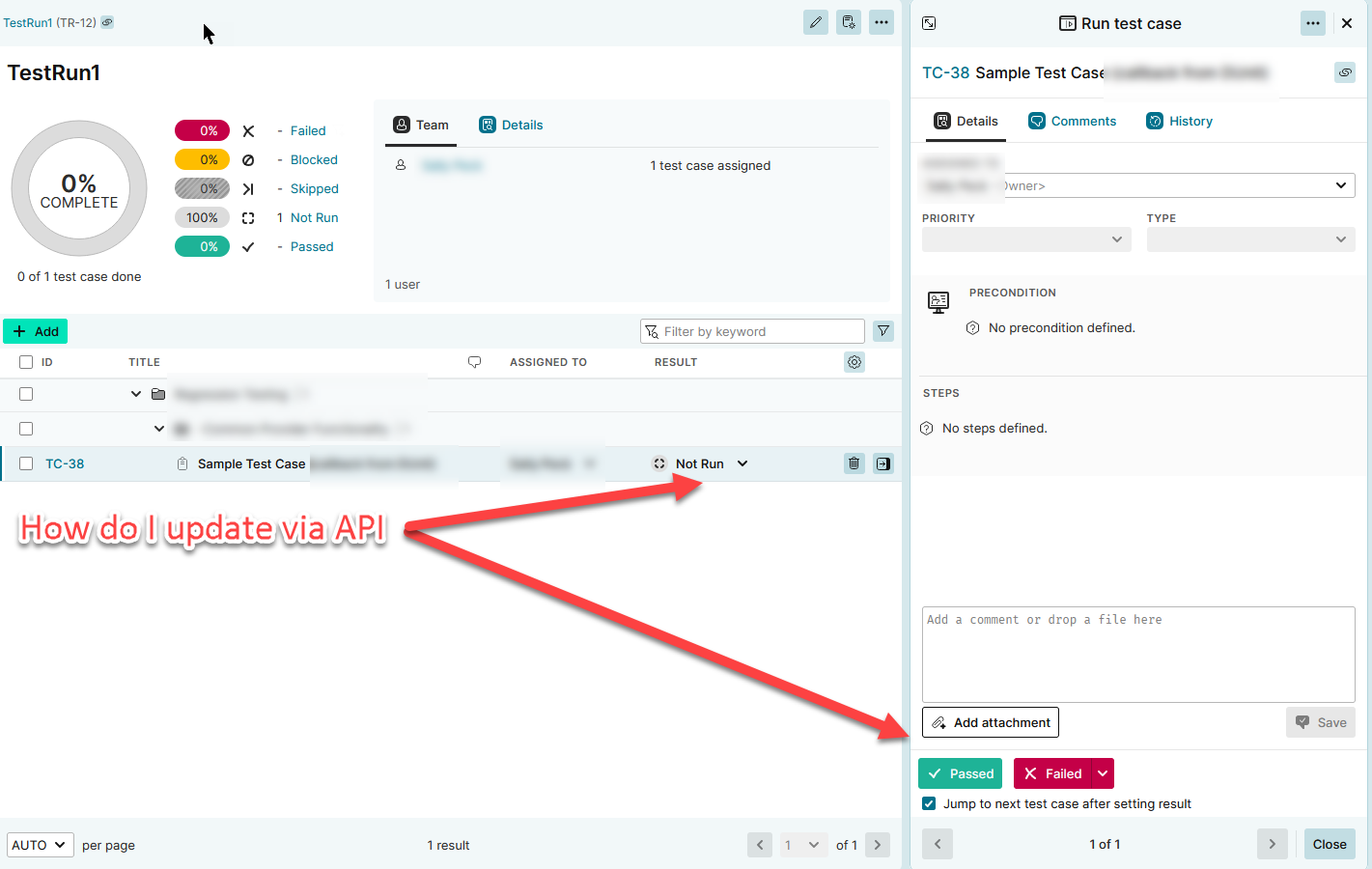
How do i update the test-results via API?
– SallyP