Our testers are frequently encountering a toast notification stating, "Live update connection issue. We encountered an error on receiving notifications from the server. You may need to reload to get the latest data. It doesn’t seem to correlate with a specific activity; we’ve seen it while writing tests, executing test runs, etc. The only common thread is that it happens more frequently when the browser tab has been left open for some period of time.
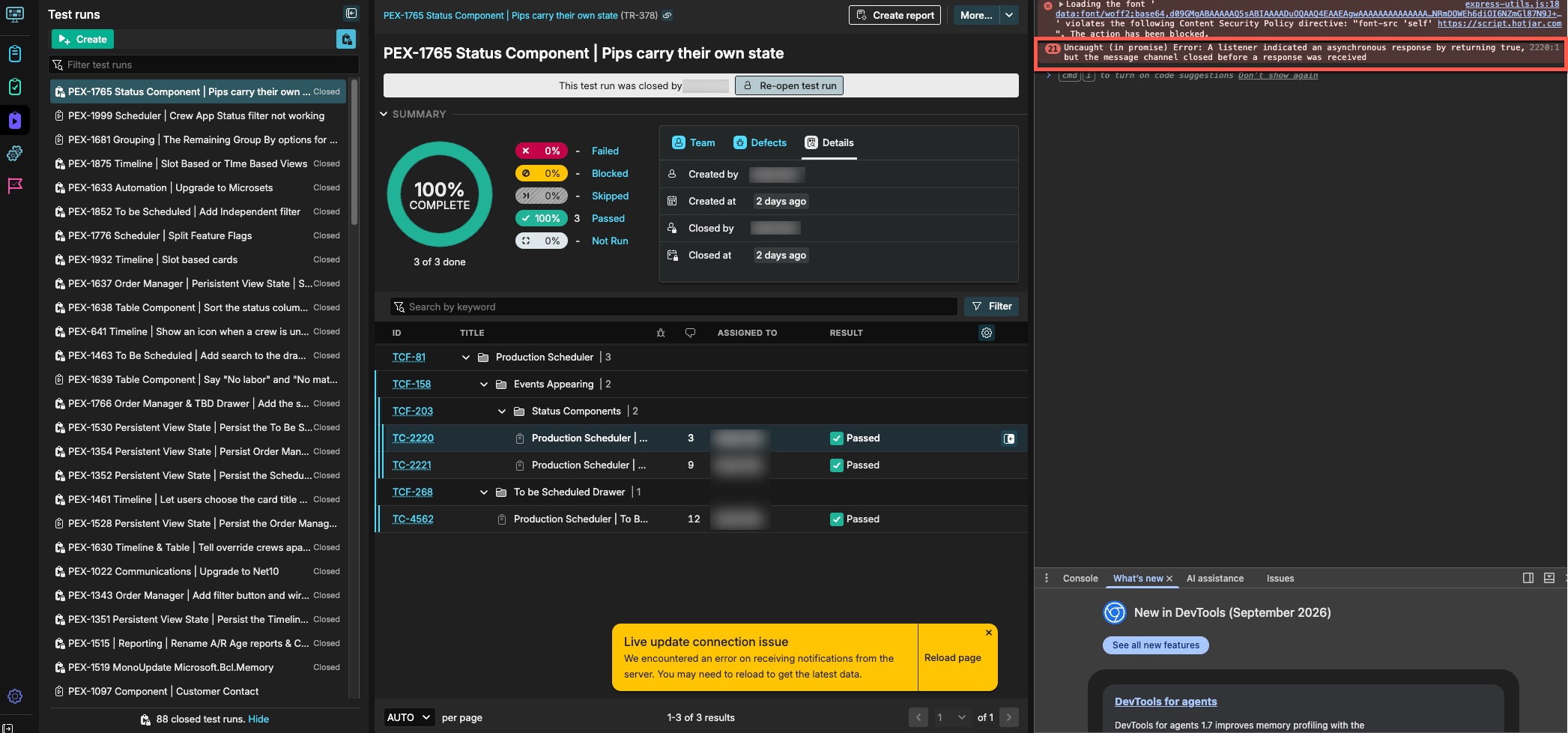
I reproduced it today by just opening a test run and letting it sit for a while (minutes). The highlighted error from the Devtools console showed up after the notification appeared. The font related error was already present.
We’ve seen this in Chrome and Firefox, and has been happening for a couple of months. We’re just now ramping up our usage of Testiny, so I can’t pinpoint a specific time before which we never saw it. In most cases there doesn’t seem to be any detrimental effect - it’s just an annoyance, but in one case a tester did loose progress and screen shots on an in-progress test run after reloading the page.
6 Answers
6
Hello Michael,
Welcome to the forum of Testiny!
I’m trying to find out why you are seeing this error and may ask you to provide a few further details: Does it still happen in an Incognito/Private window? Usually, extensions are disabled there by default, so if the error disappears, it’s very likely coming from an extension rather than Testiny.
If it still shows up in Incognito/Private after a hard refresh (Ctrl+Shift+R or Cmd+Shift+R on a Mac), please let us know your specific browser + version.
Thanks for your help,
David
Hi Michael,
Thanks for the info – that’s really helpful!
SentinelOne is a possible culprit. The console error comes from a browser extension, and SentinelOne typically installs one as part of IT policies. The message “Problem with the live update connection” is also probably caused by SentinelOne’s network check interrupting the persistent connection that Testiny uses for live updates.
Ask your IT team to whitelist Testiny in your SentinelOne policy and exempt it from HTTPS/SSL checks: https://app.testiny.io (https, Port 443) or wss://app.testiny.io (secure WebSocket, wss://, Port 443).
If you can’t change the policy, Testiny will still work normally. You’ll just need to reload the page to see changes made by others.
Kind regards,
David
Well, unfortunately I believed I’ve ruled out SentinelOne. I logged into my home PC which has none of our company software installed, and have been able to reproduce it multiple times. In each case, I simply opened a test case or test run and let it sit there for 5 - 10 minutes. On that PC I had no VPN running.
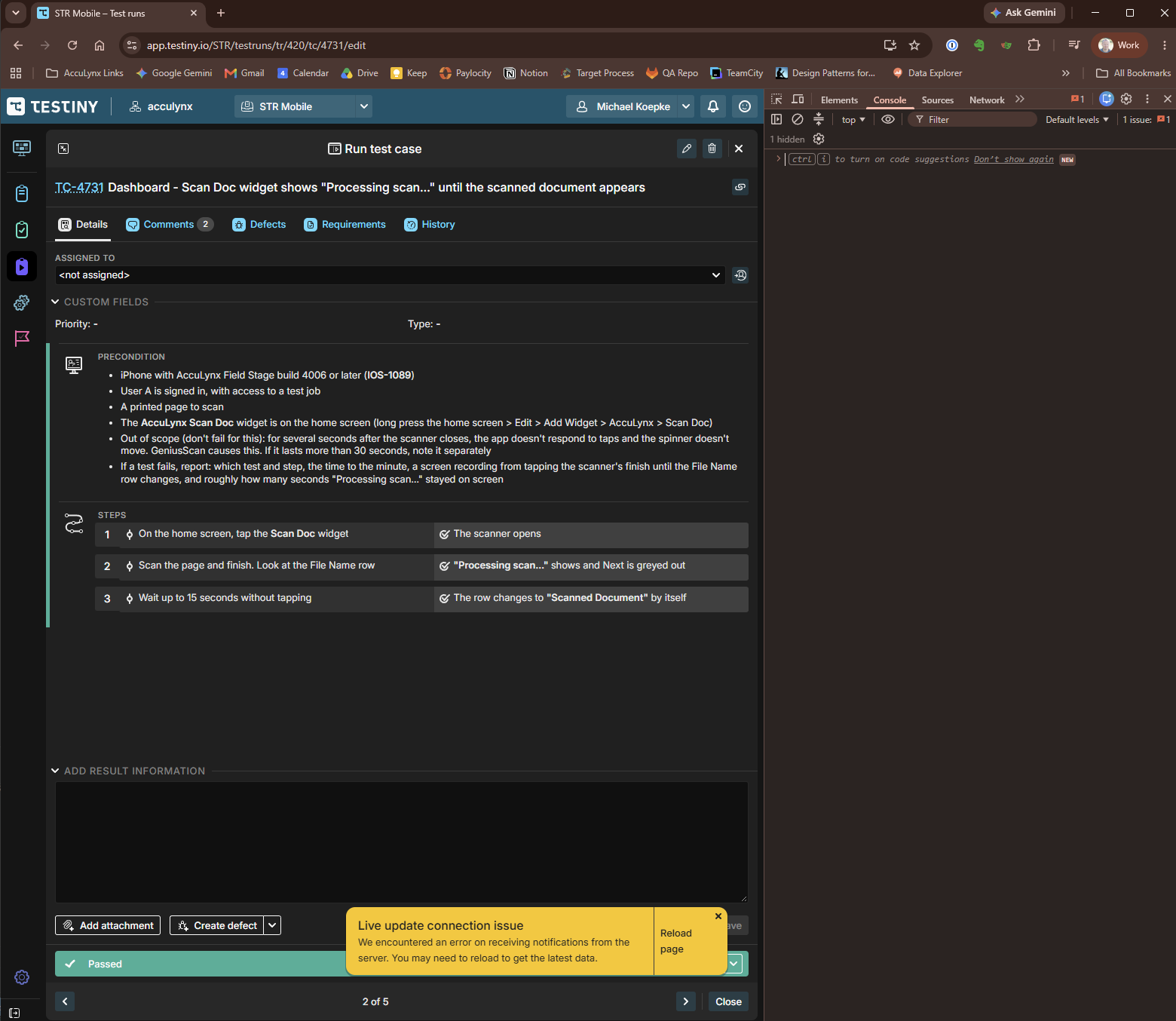
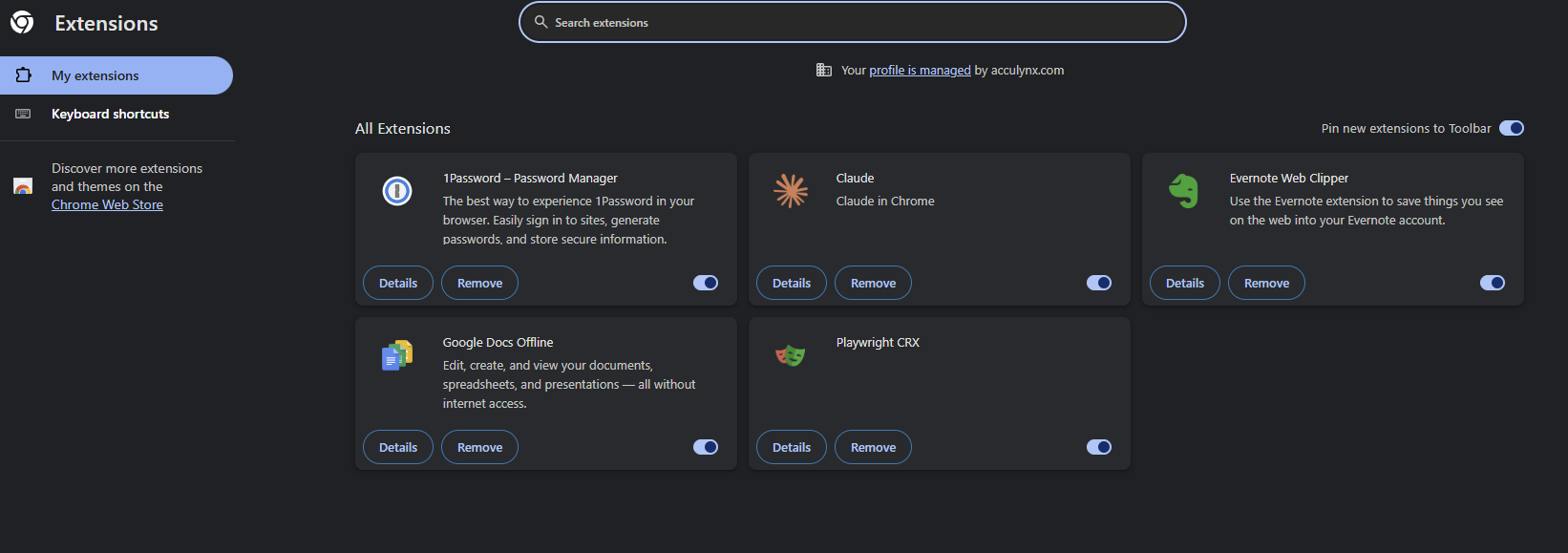
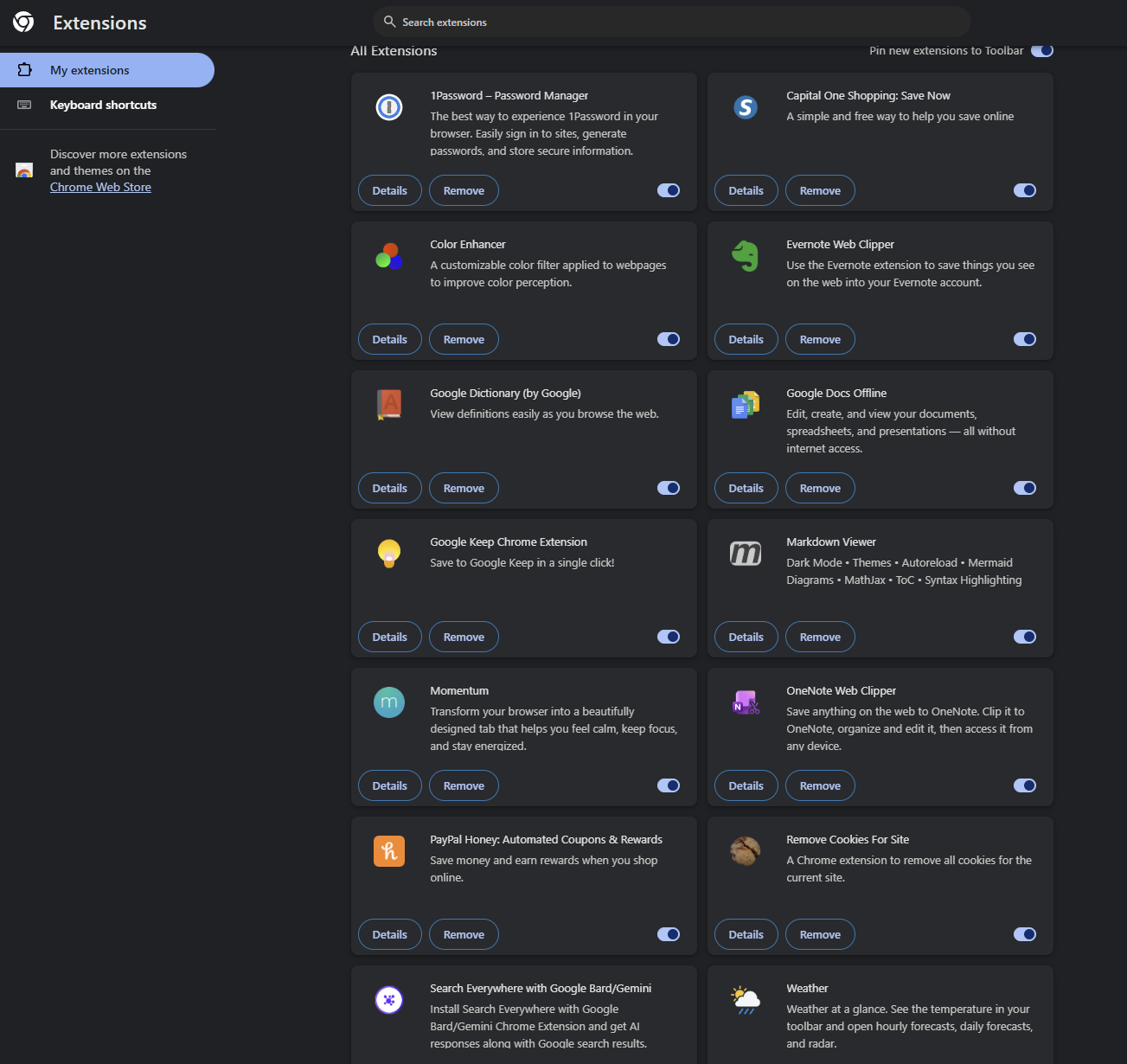
I reproduced it with both my work and personal profiles in Chrome (currently up to date). My work profile has a small handful of extensions, while my home profile has quite a few more. Also, I didn’t see any console errors in at least one of the reproductions.
Home PC, no VPN, SentinelOne or other work-related software running:
Work Profile Extensions:
Home Profile Extensions:
Hi Michael,
Thanks for testing on your home machine as well! Since it happens there too without Sentinel One or a VPN, it’s probably not the cause.
We haven’t had reports of this issue in a while. I keep Testiny open in several tabs pretty much all day, without actively using it for hours, and live updates keep working. So I’d like to narrow down what’s different in your setup.
Could you please try these two things on your home machine?
- Open Testiny in a Chrome guest window (no extensions) and leave it open for a while. Does the banner still appear?
- Open
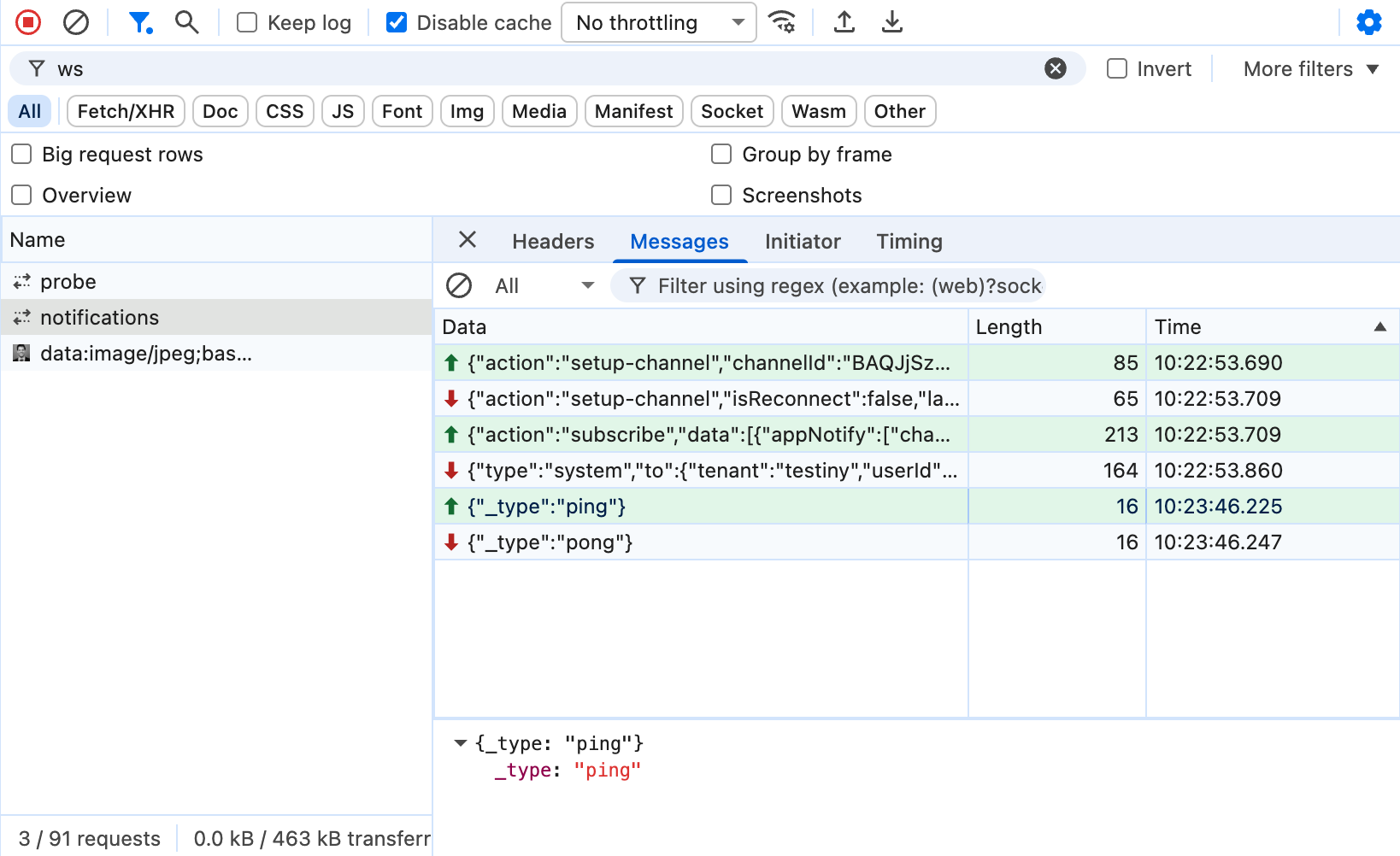
DevTools (F12), go to the Network tab, filter for ws/notifications and click the request. In the Messages tab, you should see a ping/pong exchange roughly every 50 seconds. A screenshot of that view around the time the banner appears would be very helpful.
With that we should be able to tell whether the connection is being dropped and when.
This is how it should look like:
Thanks,
David
Hi David!
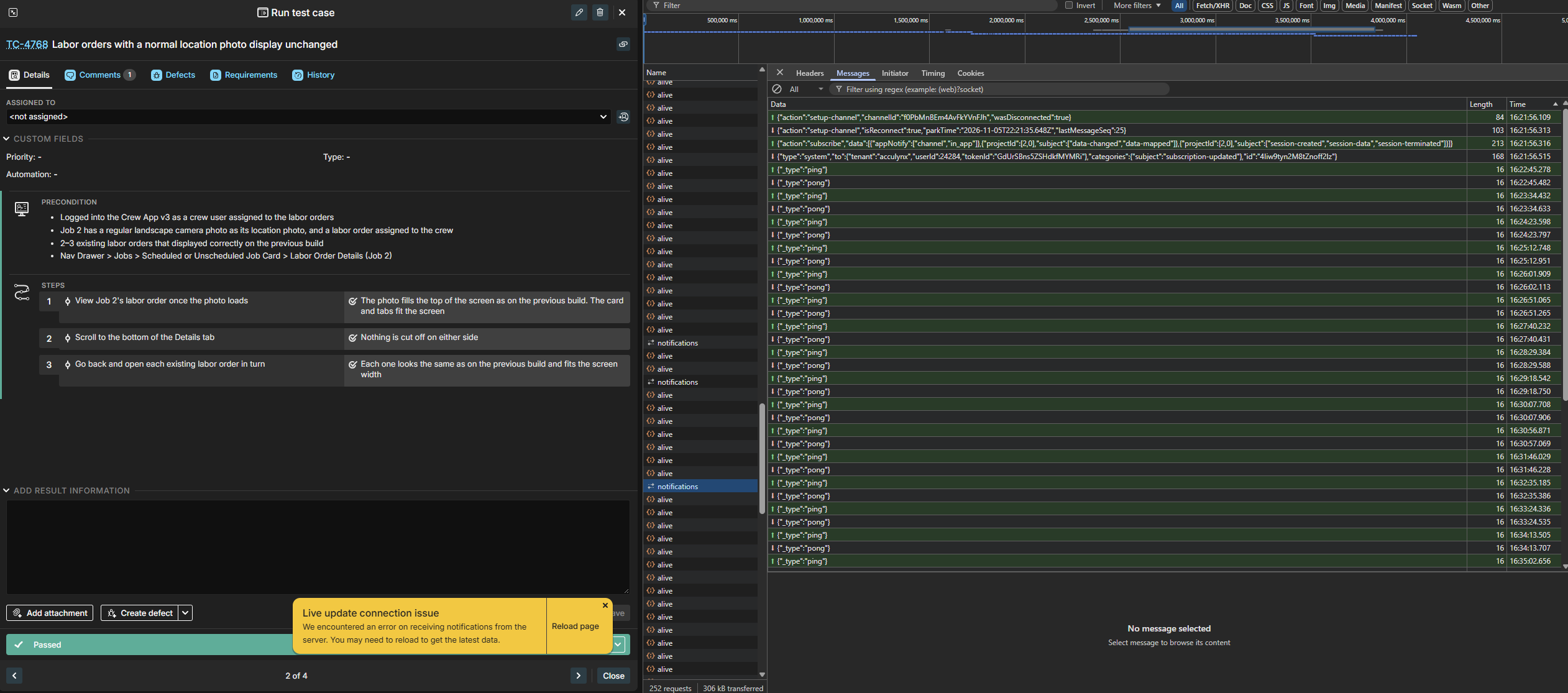
I was able to reproduce the issue in a Chrome guest window. Here’s the screenshot and some additional info.
I monitored for just over an hour. In that hour I encountered 3 of those notifications.
Timing:
- Started monitoring at 21:38:45
- First notification: 22:18:43
- Second notification: 22:19:30
- Third notification: 22:21:55
- No more notifications as of 22:41:43
I don’t know if the timing of the toast messages correlates with those notifications, but I do know it took at least 30 minutes for it to occur this time.
BTW, I’m grabbing the timing from the headers tab, which seems to be offset from the time in the messages tab.
Hi Michael,
Thanks a lot for helping us track this down, we really appreciate it! To let us dig deeper, could you please send us:
- the HAR file
- the log messages from the DevTools Console
of the affected tab?
The HAR file records the communication between the browser and our server, which should help us pinpoint where the connection breaks.
The console messages are log messages from the Testiny browser app and may signal connection abort and reconnect.
To create the HAR file:
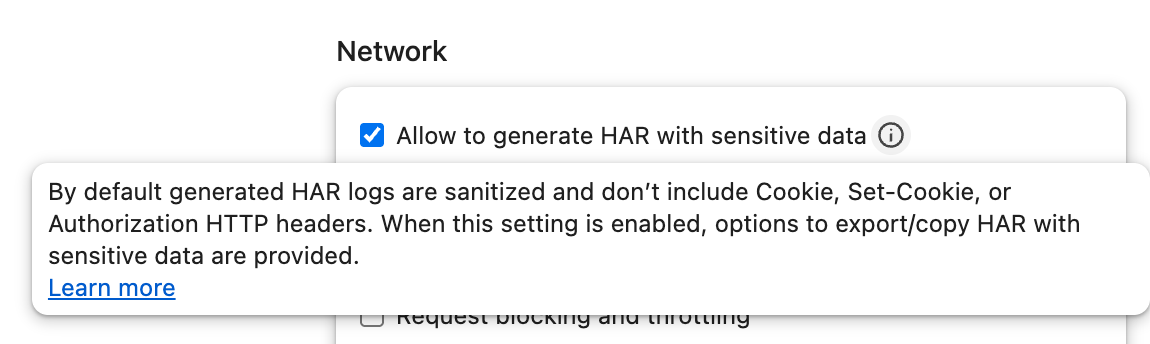
First, open DevTools F12, go to the DevTools settings via Settings → Preferences → Network and enable Allow to generate HAR with sensitive data.
-
Then click the Network tab.
-
Check Keep log so requests aren’t wiped on page reloads.
-
Reload the page / reproduce the issue.
-
Long-press the Export [↓] button and pick Export HAR (with sensitive data)….
Additionally, on the “Console” tab of the DevTools, right click and choose “Save as” to save all log messages to a file.
Please don’t post the files here, as they can contain session data. Send them to us privately via [email protected] instead.
Thank you,
David

After spending a bit more time looking at this per your request, I have now seen it several times in Incognito mode both before and after doing a hard refresh. I also tried disabling our VPN - Twingate. I've seen it both with it enabled, and without it even loaded. I'm currently running Chrome 156.0.8078.74 (MacOS), though most of our company is PC-based, and we've seen it both in Chrome and Firefox. The one other environmental factor common to everyone on our team is the use of Sentinel One for cybersecurity protection. I'll look into that further.
– Michael_Koepke