Hi,
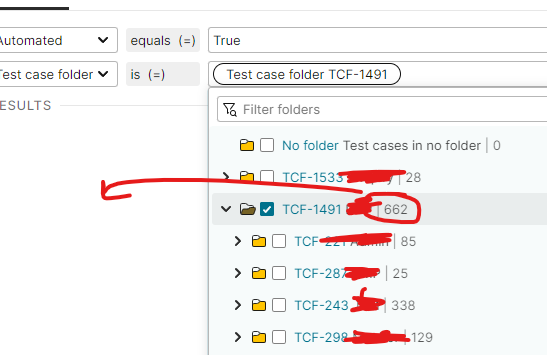
When I would like to use “Test Case Folder is …” condition to create a test plan, I have to go through all the nested folders and select them one by one which is a bit not convenient. In case it would have been good to select all test cases under the top most folder (including the ones under the nested folders)
Best regards,
Mustafa
Hi,
I agree, for your use case it’s not convenient. It shouldn’t take too much effort to add a “Select all subfolders” action in some way, but I’ll discuss it with our team.
Thanks for your input and best regards,
Hanna
Hi,
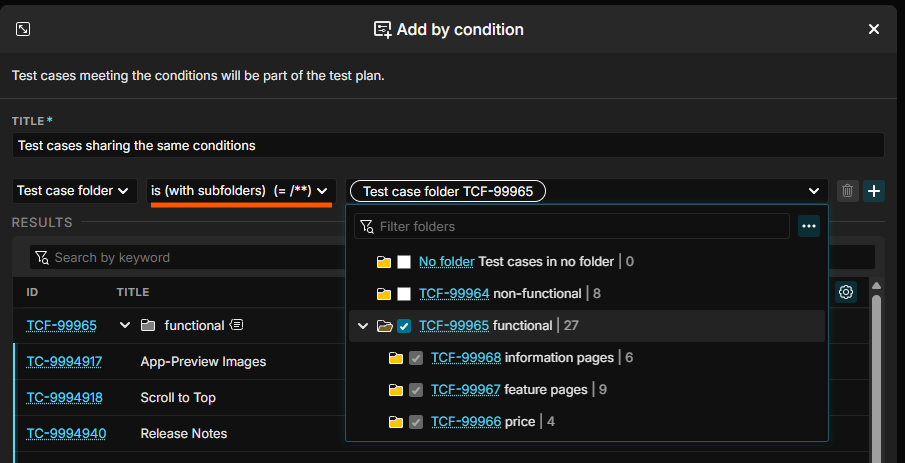
With the latest release, you can now filter for folders “with subfolders”. This filter will include all subfolders (also subfolders that are added in the future  ):
):
Best regards,
Hanna