Hi,
We have added a number of new viewers to Testiny and a common point of confusion is the “per page” option limiting the number of items in view.
I understand that you are probably limiting the amount of data a single request makes to the server, but I have had multiple people complain that the total tests in view does not equal the total. This is because they are within folders.
By default they will have the setting Auto and they would need to know that they need to set 500 in order to see the items, or scroll using the (easy to miss) page buttons. This is not very intuitive and can cause confusion.
E.g. set to “Auto”:
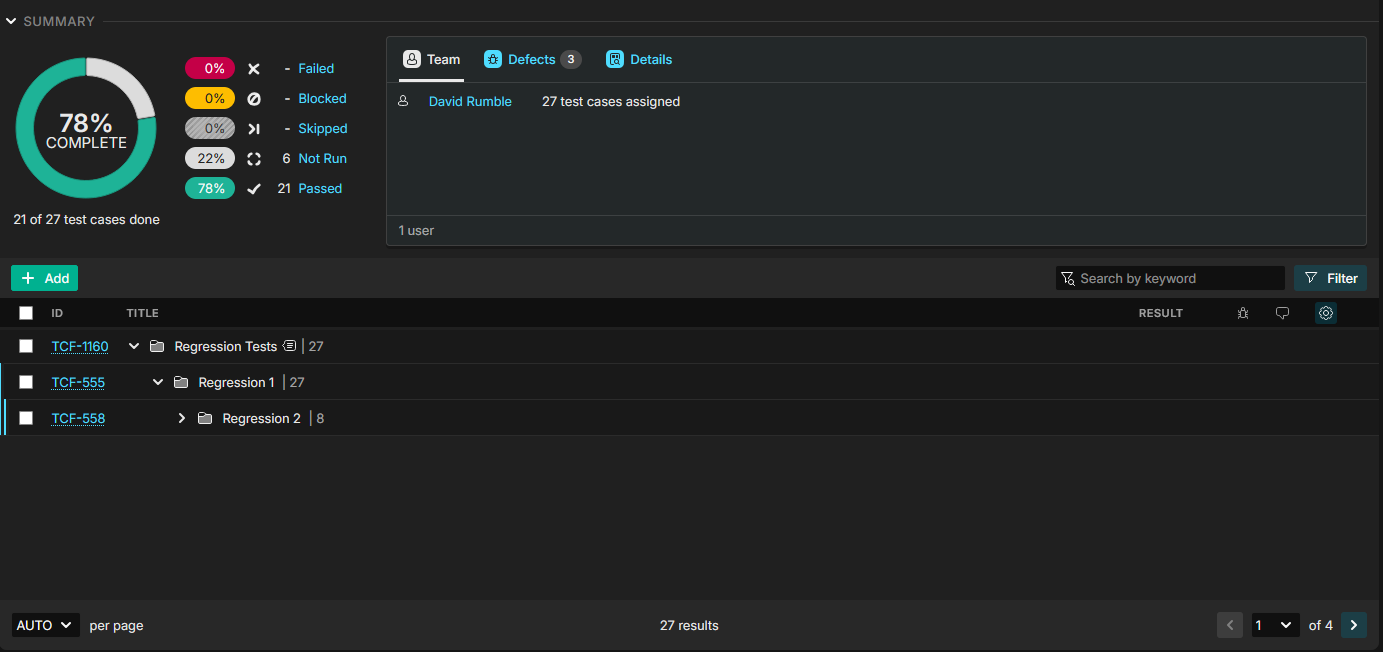
Changing the setting to “500”:
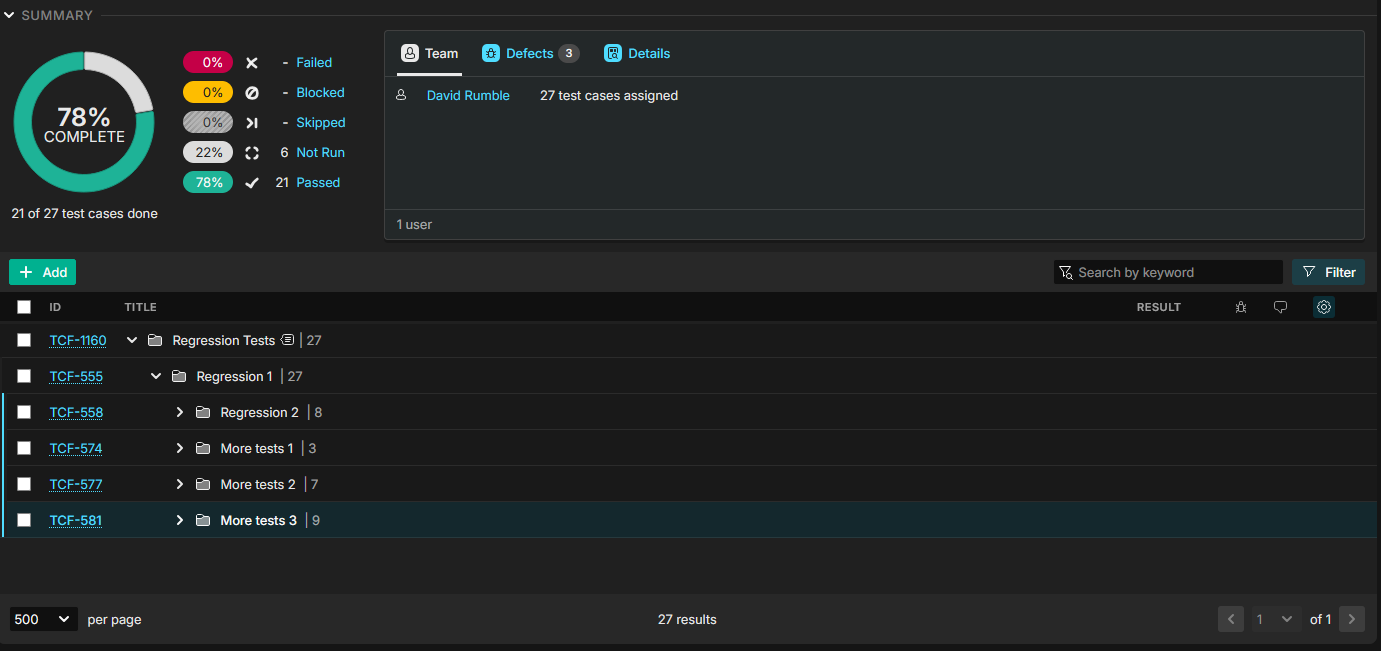
There’s not even that many tests in this example test run, but it’s still needed to increase the “per page” setting to see the folders.
Setting to a new global default of 500 would temporarily solve the issue, but the problem would come back after the number of tests go past this.
Maybe it would be better if the test folders were always visible but collapsed (regardless of the “per page” setting), with the tests populated on expansion?
Or perhaps make it obvious that there are more folders / tests to reveal (like a “x tests hidden” note at the bottom, or something)?