Hello,
While importing the test results from an xml file in Testiny and assigned it to a test plan, I noticed that there are automatically added duplicated test cases based on the status as you can see in the photo, is there way to avoid this?
And also is there a way to import the title of the test not the method name ?
Thanks,
Flaviu
1 Answer
1
Hi Flaviu,
Can you please post the command line you’ve used? It would be easier for us to investigate the issue.
Concerning the title vs. method name: How is the title stored in your XML file? It would also be helpful if you could share a (partial) file with us, either here in the post or via private message, or to [email protected].
And finally, I’d recommend trying out the new reporting option for automated test runs/results, which makes it easier to import and track automated results: Automation Quickstart | Testiny Documentation
Best regards,
Hanna
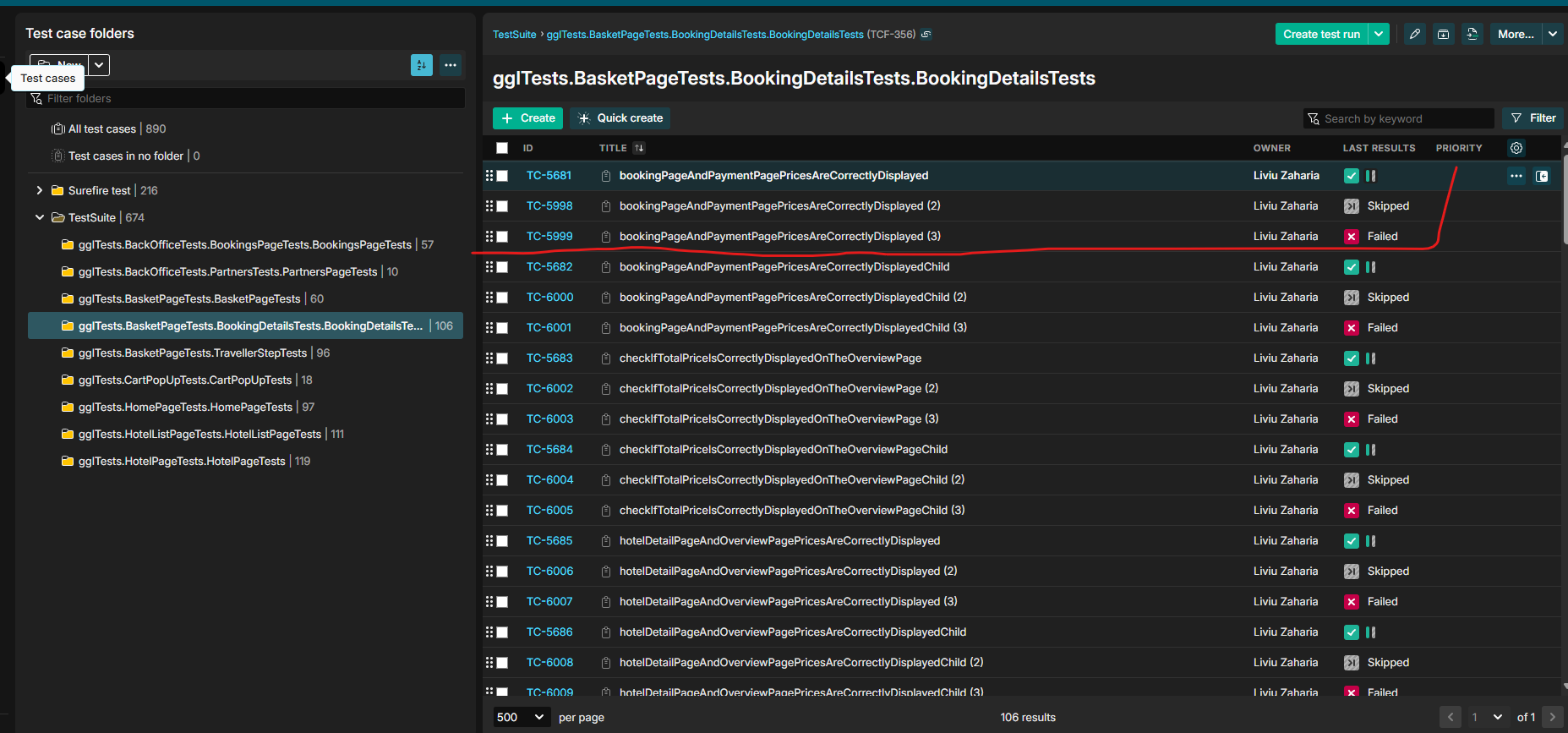
Hello, below you can see the script that is running after the tests are done, we tried to import the TestNG xml file using the Automation documentation, we managed but still the test and the folders were as in the picture above and because we saw that the auto runs are kept only for 90 days we decided to use the below script because we need a longer retention period. npx @testiny/cli testrun --apikey $APIKEY1 \ --confirm \ --quiet \ --project $TTNY_PROJECT \ --junit $REPORT_PATH \ --name $RUN_NAME \ --testplan $TESTPLAN_ID \ --junit-classname-as-folder
– Flaviu_LupanHow long would you need the retention period to be? If it's only for specific runs, you can also pin the runs to keep them from being automatically deleted (https://www.testiny.io/docs/automation/importing-results/#retention-period) The automated test cases and test runs are separate from the test cases repository, so you shouldn't see them there. Could you also please share a sample file that you're trying to import? That would make it easier for us to reproduce the issue. Thanks and best regards, Hanna
– hanna_mueller