Reporting
In Testiny, you can create reports for milestones, providing a summarized overview of all data linked to a milestone.
To generate a PDF report for a milestone, navigate to the milestone and select the menu item " Create report".

In the settings dialogs, you can configure following options for your PDF report:
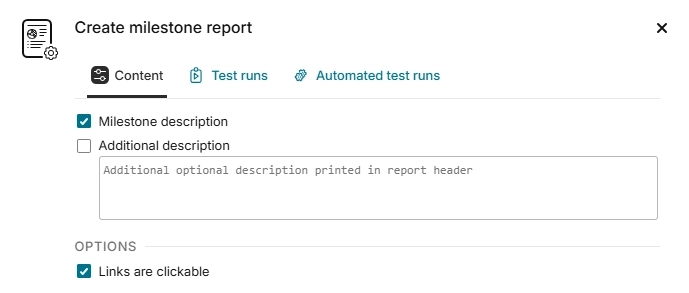
Content
Descriptions
Check to include the milestone description in the report header.
Optionally, provide an additional description to display in the report header.
Options
- Links are clickable:
If selected, all links (test case ID, attachments, linked requirements, and defects) are clickable in the report (useful if your goal is to create a PDF rather than a paper printout).
Test runs
The filters and content in this tab allow you to configure the behavior and scope of included test runs.
See Test run report for details.
Automated test runs
The filters and content in this tab allow you to configure the behavior and scope of included automated test runs.
See Automated test run report for details.