Notifications and webhooks
Know what happens in your test projects without watching them. Every user picks how and how often they want to be notified, and your organization can post test activity straight into Slack, Microsoft Teams, Discord, Google Chat or any endpoint of its own.
User notifications
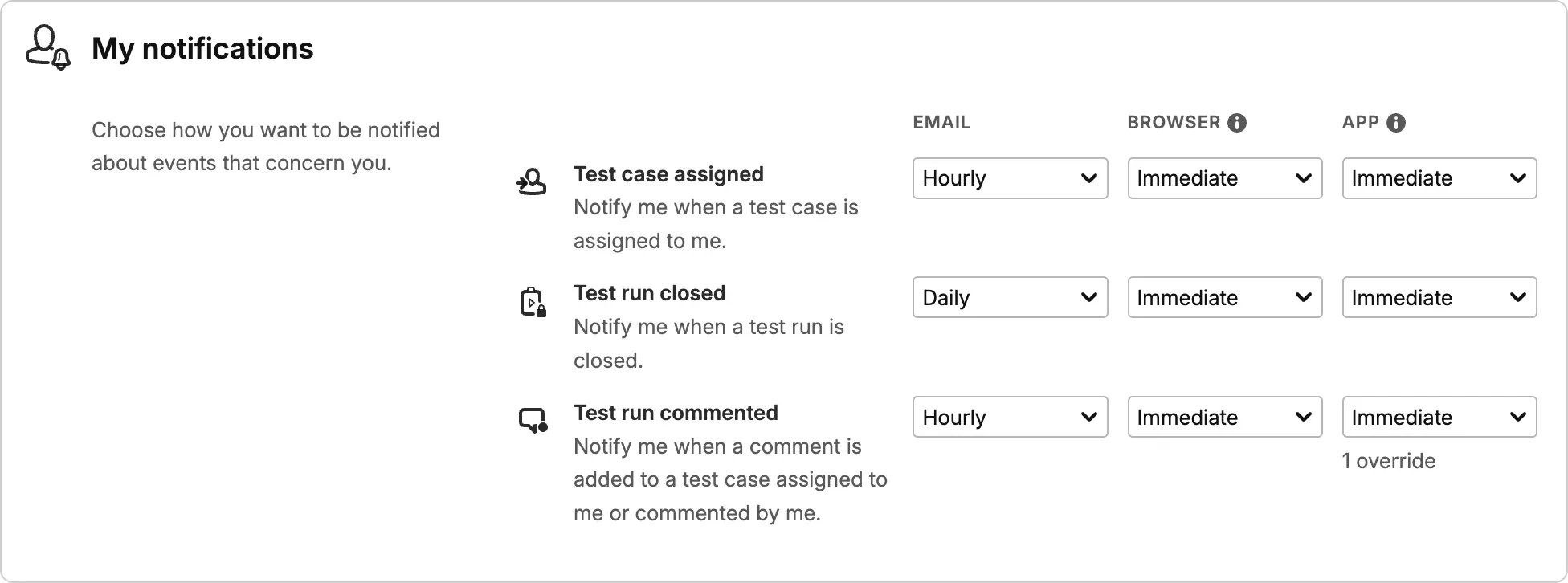
Everyone picks how they want to be notified.
Testiny tells you when a test case is assigned to you, when a test run is closed, and when someone comments on a test run you are involved in. Delivery method and frequency are personal settings, so nobody has to opt out of someone else's choice.
- Email, browser and in-app inbox.
- Choose email, native browser notifications, or the notification inbox behind the bell icon in Testiny – separately per event, and in any combination.
- Five frequencies per event.
- From Never to Immediate, or let Testiny combine similar events and deliver them within a few minutes, at the top of each hour, or once a day at a time shown in your own time zone.
- One default, per-project exceptions.
- What you set organization-wide counts for all your projects. Add a project-specific frequency where one team needs more detail – or less noise – than the rest.
- Only what concerns you.
- Assignment notifications are about your test cases, and comment notifications about test cases assigned to you or ones you have commented on before.
Team chat channels
Bring test activity into your team chat.
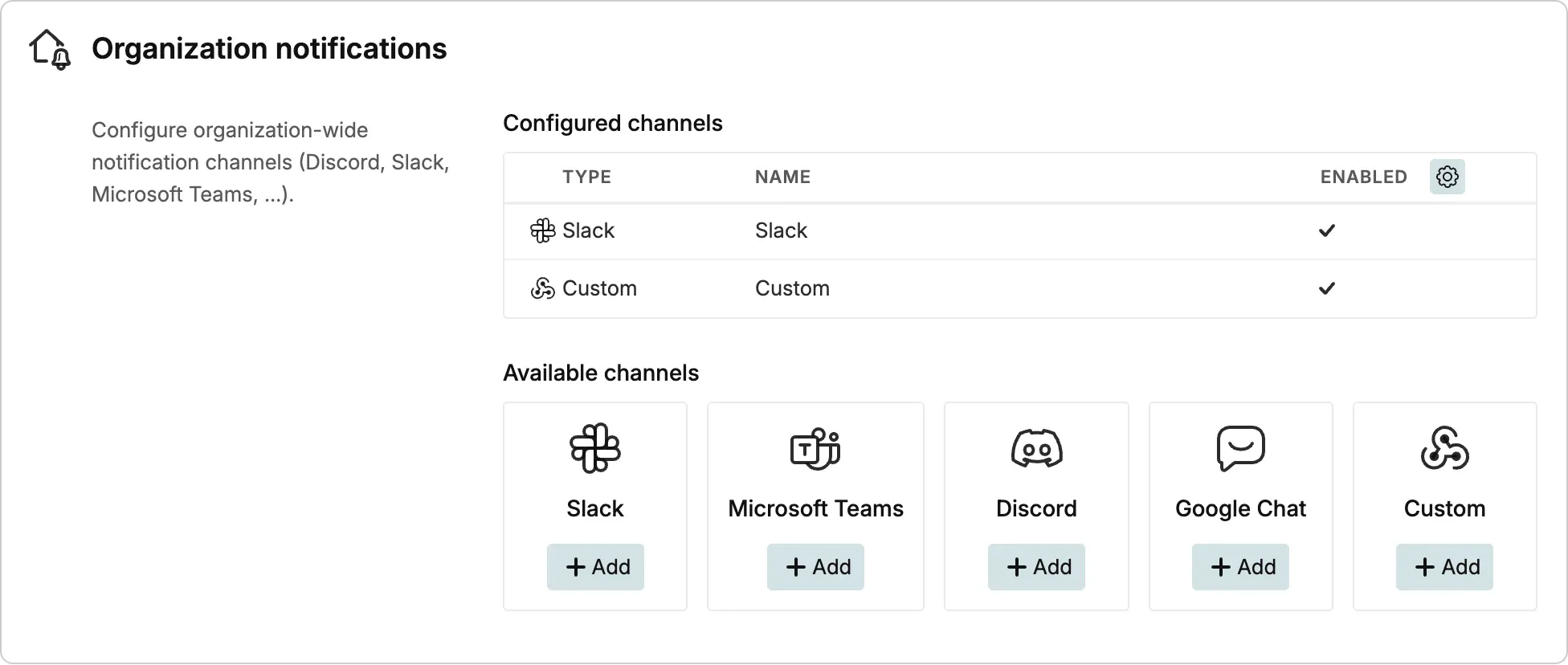
Admins add organization-wide notification channels that post into the tools your team already talks in. Each channel gets its own events and frequencies, so a management channel can stay quiet while a project channel receives every update.
- Slack, Microsoft Teams, Discord and Google Chat.
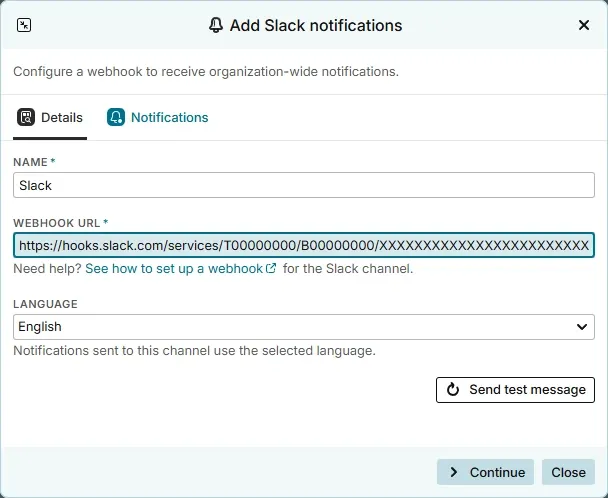
- Paste the incoming webhook address from your chat tool and Testiny formats every test event as a readable chat message – no app to install and no extra licence.
- A message language per channel.
- Pick the language a channel posts in, so a local team reads notifications in its own language while another channel stays English.
- Verify before you save.
- Send a test message while setting the channel up. Testiny posts a sample event and shows immediately whether the receiving side accepted it.
- Pause instead of delete.
- Switch a channel off while a project is on hold and switch it back on later, without configuring events and frequencies a second time.
Custom webhooks
Send test events to any endpoint you own.
The custom channel posts a generic JSON event envelope instead of a chat message. Route Testiny events into an automation platform, an internal service or a workflow engine and build whatever your process needs on top of them.
- One predictable JSON envelope.
- Every delivery carries an event name, a unique id, a timestamp and a data object naming the event type, the project, the test run and the test cases involved.
- A plain HTTPS contract.
- Accept a POST over HTTPS and answer with a 2xx status. No redirects are followed, and a test message delivers a sample event with placeholder identifiers so you can verify your parser.
- Retries and automatic disabling.
- Failed deliveries are retried with an increasing delay. After repeated errors the channel is disabled and the last error recorded, so you can fix the cause and reactivate it.
Notified, not flooded
Notifications that fit the way your team works.
Test management only pays off when the right people find out at the right time – and stop hearing about everything else.
A test project produces a constant stream of small changes, and almost none of them are worth interrupting somebody for.
Testiny therefore notifies on events that actually move work forward: a test case is assigned, a test run is closed, and a
comment is added to a test run. Everything else stays where you look for it on purpose – in the project, the dashboard and
the test runs.
Because delivery is per user and per project, the same event can reach different people differently. A tester who wants to start
as soon as work lands picks immediate email; a test lead who only needs the shape of the day picks a daily digest and gets one
message instead of forty; someone with a single busy project keeps that project immediate and leaves the rest on a slower frequency.
Assignments and comments come out of everyday
collaboration and team work, so notifications simply carry what your team is already doing
in Testiny.
Organization channels extend the same events to people who do not work in Testiny every day. Developers and stakeholders can follow
release testing in the chat channel they already have open, and a custom webhook lets your own tooling react – close the loop
with a pipeline, update a status board, or trigger the next step after a run is closed, next to the results your
test automation already reports. Notifications are included from the Starter plan upwards; see the
pricing overview for what each plan contains.
Level up your testing game.
Start using Testiny today.
Free 21-day trial available. No credit card required.